 By Allen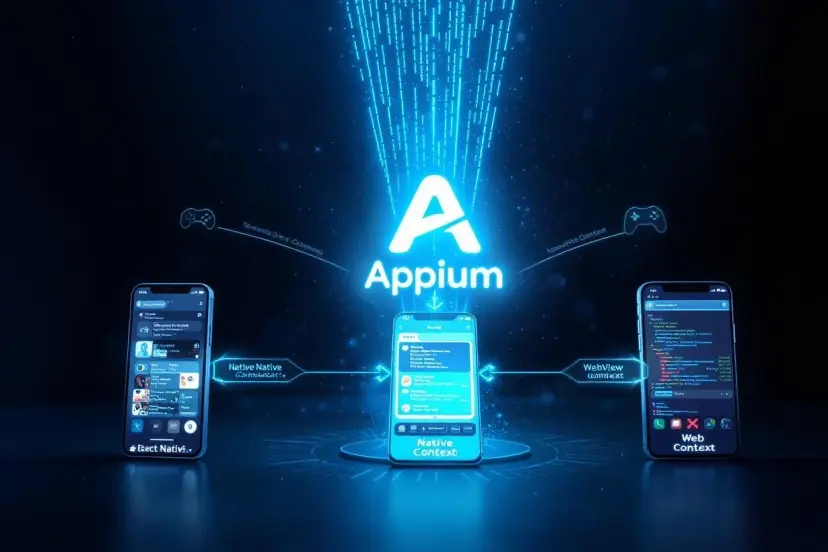
Here’s the thing about mobile apps: not all of them are created equal. You can build an app that runs inside a browser, one that sits deep in the operating system, or something in between. Each type has its strengths, trade-offs, and testing needs. In this post we’ll break down native, hybrid, and mobile web apps, and look at when you should use Appium testing for each. Along the way we’ll tie in how unit testing fits into the mix too, and why different tools matter depending on what you’re building.
Native, Hybrid, and Mobile Web Apps — What’s the Difference
Before we talk testing, let’s get the basics straight.
Native apps are built specifically for a platform, like iOS or Android. That means they use languages and tools designed for that world — Swift or Objective-C for iOS and Kotlin or Java for Android. Because they’re tailored so closely to the platform, native apps generally deliver the best performance, smoothest UI, and deepest access to device hardware and APIs. But they cost more to build and maintain because you essentially build two apps if you want iOS and Android support.
Hybrid apps sit between native and web. They’re written using web technologies like HTML, CSS, and JavaScript, but wrapped in a native container so you can install them like an app. This lets you write one codebase for multiple platforms, which cuts development time and cost. The flip side is that performance and access to device features can lag behind true native apps.
Mobile web apps aren’t installed at all. They live in the browser and are essentially responsive websites that behave like apps on a phone. They’re the most cost-efficient option and instantly updated, but they can’t use all the native features of a device and require a reliable internet connection.
What Testing Looks Like for Each App Type
Testing fundamentally aims to make sure your app does what it’s supposed to do, across devices and scenarios users will encounter. Two broad themes in testing are automated functional testing, which checks workflows and user journeys, and unit testing, where individual pieces of code are tested in isolation to ensure they work correctly.
Native App Testing
Native apps are deeply tied to each operating system. You need to validate UI interactions, performance, device-specific features like camera or GPS, offline scenarios, and OS version compatibility. Unit testing is especially important here — it gives you confidence that logic behaves correctly across platform variations and that refactors don’t break core functionality.
Appium testing shines for native apps because it lets you automate real user flows on iOS and Android with one framework. You write tests once and run them against both platforms, hitting UI elements, simulating gestures, and validating functional behavior without modifying your app code.
Hybrid App Testing
Hybrid apps blend web and native components. That adds a layer of complexity: you must test native container behavior along with the embedded web content rendering correctly on different devices.
This is one area where Appium’s versatility matters. It treats hybrid apps like native ones under the hood but can also interact with the web content inside the app container. That means you can cover cross-platform UI interactions, embedded web views, and end-to-end workflows with the same tests.
Unit testing in hybrid apps remains critical for the business logic and JavaScript components. Combined with Appium testing for full user flows, you get broad test coverage that reduces surprises in production.
Mobile Web App Testing
Mobile web apps live in browsers. Here the focus is on responsive design, performance across devices, and cross-browser compatibility. Traditional web testing tools might be your first stop — Selenium, Puppeteer, or dedicated cross-browser testing services.
But Appium can still play a role. It can automate tests in mobile browsers on real devices, letting you validate behavior in Safari on iOS, Chrome on Android, and other mobile browsers as part of your automated test suite. That’s especially useful if your web app has complex interactions that would benefit from device-level testing.
For unit testing, JavaScript frameworks like Jest, Mocha, or Jasmine help isolate and validate business logic in your web app independently from the browser UI.
When to Lean Hard on Appium
Here’s what this really comes down to: Appium testing makes most sense when your application has a native or hybrid component, or when you need to validate mobile web behavior on real devices. It’s built to support all three major types — native, hybrid, and mobile web — with a single approach. That means you don’t have to stitch together multiple frameworks and can achieve consistency in how you automate functional tests.
In contrast, pure web unit testing still lives with JavaScript test runners and browser automation tools. Those handle the business logic and UI interactions inside the browser more directly and efficiently than a mobile automation shim could.
Choosing the Right Tool for the Job
Unit testing gives you confidence in small pieces of code. Automated functional testing with Appium gives you confidence that your app works end to end across real devices and real user interactions. Together they form a powerful quality strategy.
But it’s not all or nothing. For simple mobile web apps that don’t rely on native behaviors, you might prioritize browser-based automation. For heavy native apps with deep hardware ties, Appium becomes essential. Hybrid apps often benefit most by combining unit testing for logic with Appium testing for flows across the native shell and embedded web content.
Conclusion: Why This Matters
Understanding when to use Appium testing for native, hybrid, and mobile web apps helps you avoid overengineering your QA efforts and ensures your team focuses on the right risks. Pairing that with solid unit testing practices boosts test coverage and reduces regressions throughout your development cycle.
Here’s where HeadSpin comes in. HeadSpin gives you access to real devices and browsers in the cloud, so your Appium testing runs against the same environments your users have in their hands. You can catch performance issues, compatibility problems, and intermittent bugs earlier, and integrate that feedback into your CI/CD workflows. With HeadSpin, your automation and manual testing efforts become more efficient, your quality improves, and you ship with confidence.